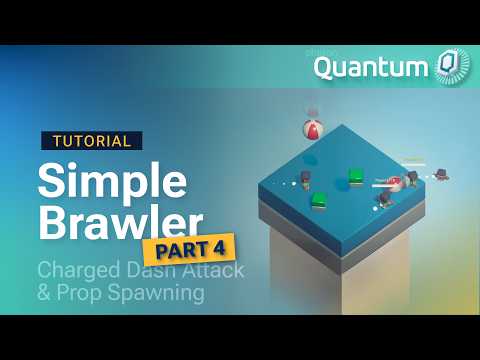
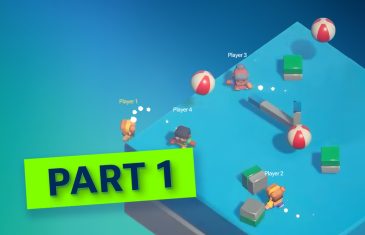
Three videos in, Simple Brawler had everything except the brawling. Players could move, jump, fall off and respawn on their own corner of the map. Part 4 adds the attack, and props to shove off the platform along with other players.
It’s also the episode where Quantum’s determinism rules start showing up in everyday code: random numbers, system fields and collections all come up, and the video explains why each one is handled the way it is.
Props come from a PropSpawner declared as a singleton component, which guarantees exactly one instance in the simulation. It holds a list of prototypes and a FrameTimer. Because there’s only one spawner, PropSpawnerSystem doesn’t need a filter. It inherits from SystemMainThread, grabs the spawner with GetPointerSingleton, and acts when HasStoppedThisFrame says the timer just ran out.
Picking a random prop uses frame.RNG, Quantum’s deterministic RNG session. It feels like any other Next(min, max) call, but every client gets the same sequence from the same seed. To make sessions differ from one another, the seed is randomized once on the Unity side through RuntimeConfig.Seed, before the simulation starts.
Why system fields are readonly
The refactoring step is short but worth watching. Pulling magic numbers out into fields raises a question: why static readonly FP and not const? Because FP isn’t a built-in C# type. The bigger rule behind it is that systems have to be stateless. A value written to a system field lives outside the frame, so it doesn’t roll back with the rest of the state, and writing to one breaks determinism. Mutable data goes in components.
Charge, release, dash, push
The attack is built around one number: a normalized strength from 0 to 1. While the button is held, AttackSystem adds up hold time, capped at ChargeDurationSeconds. On release, the hold time divided by the full charge time becomes the strength, and it scales both the player’s forward dash and the knockback on whatever gets hit. Release at half charge and both are half as strong.
Timing comes from three FrameTimer fields on an AttackData component. An activation timer adds a short delay before the dash, a duration timer defines how long the attack can hit things, and a cooldown timer stops the player from immediately charging again.
Hit detection uses Shape3DConfig, which wraps box, sphere and capsule shapes into one field on the PlayerConfig Data Asset. The system creates the shape, runs Physics3D.OverlapShape in front of the player, and pushes each hit body away from the attacker:
csharp
var attackShape = playerConfig.AttackShape.CreateShape(frame);
var hitCollection = frame.Physics3D.OverlapShape(attackCenter, transform.Rotation, attackShape);
A hash set that cleans up after itself
The overlap runs every tick while the attack is active, so the same target can show up many times. Hit entities go into a hash_set<EntityRef> that is cleared at the start of each attack. The video also adds AllocateOnComponentAdded and FreeOnComponentRemoved to it. Quantum collections aren’t allocated by default or freed when their component goes away, and these two attributes handle both.
The payoff
The final test is the reason Quantum fits a game like this. A player dashes into a pile of balls and cubes, they scatter, and another player gets clipped on the way. Every client sees the same result, and the project contains no networking code. Each client runs the same simulation from the same inputs.
Next up
The Simple Brawler documentation has the full step-by-step for Part 4, including the complete AttackSystem, the PlayerConfig attack fields and a pitfalls table. You can also download the sample project as it stands at the end of this video. Part 5 adds a rotating obstacle and a lives and death system with UI. Questions go to the Photon Discord.