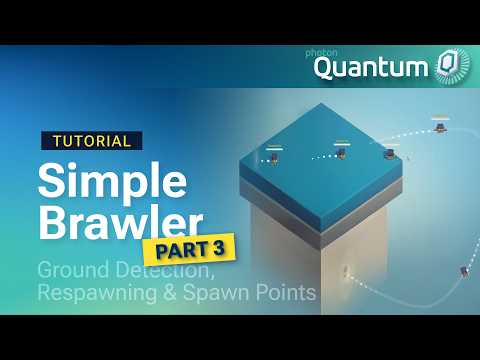
After Part 2, the brawler looked right. The camera followed you, the character animated, and the tuning values lived in a Data Asset. It still didn’t play like a match, though. You could jump forever in mid-air, falling off the platform meant you were gone for good, and every player spawned on the same spot.
Part 3 fixes those three problems in about 11 minutes, and adds nickname tags so you can tell who’s who.
The video opens with a small but useful point. The nickname tag above each character needs to face the camera, and the script that does it is a plain MonoBehaviour that caches the camera rotation and applies it in LateUpdate. Nothing about it touches the simulation, so there’s no reason to involve Quantum’s lifecycle.
The nickname itself does come from Quantum. An Entity View Component reads the player’s data through PlayerLink, writes the nickname into a TMP_Text, and turns it yellow if the player is local.
Ground checks in the simulation
Infinite jumping is the classic missing-ground-check bug, and the fix looks familiar if you’ve done it in Unity. The movement system casts a ray down from the player using frame.Physics3D.Raycast, with query options set to HitStatics | HitDynamics so it hits the platform and other bodies. The ray length is a new GroundCheckingDistance field on the PlayerConfig Data Asset from Part 2.
The result goes into an IsGrounded flag on PlayerState, and the jump only fires when it’s true:
A local variable would have worked for the jump check alone. Storing the flag on a component means the animation view component can read it too, which replaces the hard-coded isGrounded = true left over from Part 2.
Falling out of the map
The respawn loop shows how Quantum systems talk to each other. A large trigger box sits under the platform with an OnDynamicTriggerEnter callback flag and an empty FallBox component that identifies it. A new FallSystem implements ISignalOnTriggerEnter3D, checks that the trigger is the fall box and the other entity is a player, then raises a custom signal:
signal OnPlayerRespawned(EntityRef entity);
FallSystem doesn’t move the player itself. PlayerJoinedSystem implements the generated ISignalOnPlayerRespawned interface and handles placement, so detection and response stay in separate systems. If you later add a respawn delay or a lives counter, the fall detection doesn’t need to change.
Four corners, any number of players
With one respawn position, two players falling at the same time land on top of each other. The video adds four PlayerSpawnPoint entities, one per corner, and assigns them by taking the player index modulo the spawn point count. Players five and up wrap around and reuse a corner.
A spawn point’s index can’t be queried directly, so MovePlayerToSpawnPoint walks a component iterator with a counter until it reaches the right one. It then copies the position and zeroes both linear and angular velocity, so the player doesn’t arrive still carrying their falling speed. The same method runs on join and on respawn.
Next up
The Simple Brawler Part 3 documentation page has every step, the full raycast and spawn point code, and a pitfalls table covering callback flags, velocity resets and system registration. Part 4 moves on to attacking, which is where the brawler finally becomes a brawler. Questions while you follow along can go to the Photon Discord.