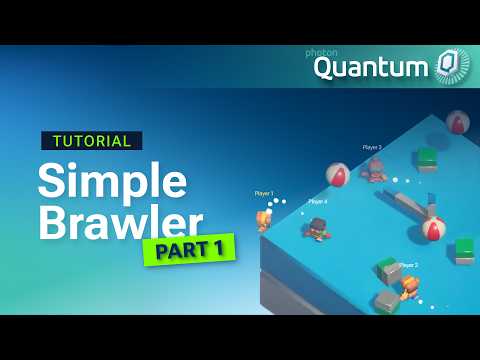
Most multiplayer tutorials either stop at “hello world” or throw a finished project at you and ask you to reverse-engineer it. Simple Brawler takes the middle road. It’s a new video series where we build a small party brawler with Photon Quantum from an empty Unity project, one system at a time.
By the end of the series, each character gets an attack that knocks other players and props off a platform, and the last one standing wins. Part 1 is about the ground floor: a character that spawns, moves, jumps, and does all of that in an online session between the Unity editor and a standalone build.
Build a Multiplayer Brawler From Scratch – Photon Quantum 3.1 Simple Brawler Tutorial (Part 1)
What you build in 12 minutes
The video starts with project setup. You grab the Quantum 3.1 SDK, create an App Id in the Photon Dashboard, and let the Quantum Hub configure a Unity 6.3 LTS URP project for you.
From there it gets into how Quantum structures gameplay code. Entities are plain IDs, components hold data, systems change that data, and signals let systems react to things like a player joining. You define a PlayerLink component in a .qtn file, save it, and Quantum’s codegen writes the C# struct for you.
A PlayerJoinedSystem then listens for ISignalOnPlayerAdded, spawns the avatar the player brought with them, and tags it with PlayerLink. Here’s the core of it:
public void OnPlayerAdded(Frame frame, PlayerRef player, bool firstTime)
{
    var entityPrototype = frame.GetPlayerData(player).PlayerAvatar;
    var entity = frame.Create(entityPrototype);
    frame.Add(entity, new PlayerLink() { Player = player });
}
Input comes next. You declare it in the same QTN file using fixed-point types (FPVector2 Movement; button Jump;), read it from Unity’s Input System, and hand it to the simulation. A PlayerMovementSystem filters for every entity with PlayerLink and PhysicsBody3D, then applies force for movement and an impulse for jumping.
Last step: swap the local debug runner for Quantum’s Start UI, build a standalone player, and join the same session from the editor. Keyboard and controller both work, and there’s no custom networking code anywhere in the project.
A few things worth noticing
Some of Quantum’s rules look fussy on first contact. The video explains why they exist.
Unity’s Vector2 and Vector3 never enter the simulation. They’re float-based, and floats can produce slightly different results on different hardware, which breaks determinism. Converting input to FPVector2 on the Unity side keeps every client’s simulation identical.
Components are structs, so changing one means grabbing a pointer through frame.Unsafe.GetPointer<T>. Modify a copy and your change disappears.
A system you forget to register in QuantumDefaultConfig compiles fine and silently does nothing. This one catches almost everyone once.
If you press Play and nothing spawns, check the Local Players array on QuantumLocalDebugRunner. Quantum starts in spectator mode by default.
Before you start
The video assumes you already know what Quantum is and roughly how deterministic predict/rollback works. If that’s new, watch the Quantum beginner guide first; it’s the better starting point.
Quantum 3.1 was in preview when we recorded, so your SDK build number may differ. The APIs used in the series are stable across releases.
What’s next
Part 1 ends with movement that still feels a bit floaty, and that’s intentional. Upcoming parts add animations, a life and death cycle, and proper spawn logic, working toward the full knockback brawler.
For step-by-step instructions, code snippets, timestamps, and a pitfalls checklist, see the Simple Brawler Part 1 documentation page. Questions while you follow along? The team and community are on the Photon Discord.